
Installing the Betsson APK on Android: A Practical Guide for UK Players
For players in the United Kingdom who prefer mobile betting and casino gaming, installing the Betsson Android application can provide a convenient way to access games, promotions, account tools and payment services. The official Betsson mobile experience is designed for modern smartphones, although some Android users may need to install the application manually through an APK file rather than downloading it directly from Google Play.
This guide explains how to install the Betsson APK safely, prepare an Android device, sign in, and use the application responsibly. Before beginning, UK players should verify that Betsson services are available in their location and that they meet the legal age requirement. The direct mobile casino page is available at https://gb.betssoncasinomobile-uk.com/.
What Is the Betsson APK?
An APK is an Android Package Kit, the file format used to install applications on Android devices. If a casino application is not displayed in the Google Play Store, an APK may allow users to install it directly from an official website or another authorised source.
For security reasons, the safest approach is to obtain the Betsson APK only from a verified Betsson channel. Avoid files shared through random forums, pop-up advertisements, unofficial download pages or messaging groups. An altered APK could contain malicious software, collect personal information or redirect payments.
Before You Install the Application
A short preparation process can prevent most installation problems. Check the following points before downloading:
- Your Android operating system is up to date.
- You have sufficient free storage space.
- Your internet connection is stable, preferably Wi-Fi.
- Your device has an active screen lock or biometric protection.
- You are physically located in a jurisdiction where the service is permitted.
- You have downloaded the file from an official or authorised Betsson source.
It is also sensible to review the address bar before downloading. A secure page should use HTTPS, display a valid domain and avoid aggressive requests for unrelated permissions; A casino application normally does not need access to contacts, text messages or personal files.
How to Download the Betsson APK
Step 1: Visit the official mobile page
Open Chrome or another trusted browser on your Android phone. Navigate to the official Betsson mobile page and locate the Android application section. Read the available information carefully, including any version requirements and instructions for UK customers.
Step 2: Select the Android download option
Tap the button labelled “Download APK” or a similar Android installation option. The browser may show a warning because the file is being downloaded outside Google Play. Confirm the download only if you are certain that the source is genuine.
Step 3: Wait for the file to finish downloading
Keep the browser open until the download has completed. You can usually find the file in the device’s Downloads folder. Do not open several copies of the installer or download files with unfamiliar extensions.
Allowing Installation from an Unknown Source
Android blocks applications from unknown sources by default. This is an important security feature, but it can prevent a manually downloaded APK from opening. The exact menu names vary between Android versions and manufacturers.
- Open Settings on your Android device.
- Choose Security, Privacy or Apps.
- Open Install unknown apps.
- Select the browser or file manager used to open the APK.
- Enable Allow from this source.
It is preferable to grant this permission only to the application that needs it, rather than enabling installation from every source. After installing the Betsson app, return to the same settings menu and disable the permission again if you do not plan to install other APK files.
Completing the Betsson APK Installation
Open the downloaded file from your notification panel or the Downloads folder. Android will display the application name and the permissions requested. Review the information before selecting Install.
When the process is complete, tap Open to launch the application. If you prefer, close the installer and open Betsson later from the device’s application menu. The first launch may take a little longer while the application checks its configuration and downloads necessary resources.
If Android reports that the file cannot be installed, confirm that the download finished correctly, that enough storage is available and that the APK supports your device architecture. Deleting the file and downloading it again from the official page can also resolve a damaged download.
Signing In or Creating an Account
Existing Betsson customers can normally sign in using their registered email address or username and password. If two-factor authentication is enabled, complete the additional verification step. Never share a one-time security code with another person, even if they claim to represent customer support.
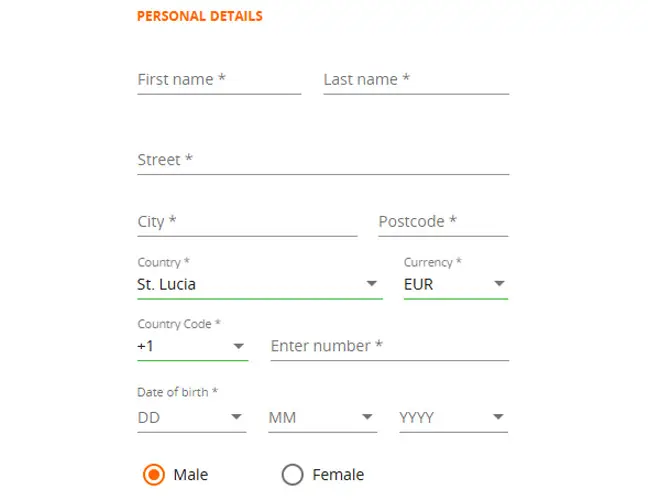
New customers should select the registration option and provide accurate personal details. UK gambling operators may be required to verify identity, age and address before allowing certain activities or withdrawals. Use information that matches your official documents and payment account.
Account verification is not merely an administrative inconvenience. It helps protect the account from unauthorised use and supports compliance with UK gambling regulations. A delayed verification request is usually easier to resolve when the submitted information is complete and consistent.
Using the App After Installation
Once signed in, the application normally provides access to casino games, promotions, account settings, deposits, withdrawals and responsible gambling tools. Navigation can vary according to the current version, but the main categories are generally visible from the home screen or menu.
Players should read the terms of every promotion before opting in. Important conditions may include wagering requirements, eligible games, maximum bet limits, expiry dates and restrictions on withdrawals. A bonus should be treated as a promotional feature, not as guaranteed additional money.
Games and Safety Questions
Is the Betsson application safe?
An application is safer when it is obtained from an official source, receives regular updates and requests reasonable permissions. Players should check the publisher name, read the privacy information and keep Android security features active. Avoid using rooted devices for financial accounts because system modifications can weaken normal security controls.
How can I protect my account?
- Use a unique password that is not used on other websites.
- Enable two-factor authentication when available.
- Do not save login details on shared devices.
- Install Android and application updates promptly.
- Use only secure private networks for account and payment activity.
- Log out if another person may access your phone.
Are casino games guaranteed to produce winnings?
No. Casino games use mathematical models and, where applicable, random number generation. Results are independent and cannot be predicted reliably through previous outcomes, betting patterns or mobile software. A legitimate application does not change the underlying odds simply because it is installed on Android.
Common Installation Problems
The APK will not open
Check whether the file has an APK extension and whether the download is complete. If the browser saved an incomplete file, download it again. Make sure the Android version meets the application’s requirements and temporarily close other demanding applications.
Installation is blocked
Return to the unknown-app settings and confirm that permission has been granted to the correct browser or file manager. Some devices have additional security tools that scan manually installed applications. Follow the on-screen instructions rather than disabling all security features.
The application crashes or displays a blank screen
Restart the device, confirm that the internet connection is reliable and install any available application update. Clearing the app cache may help, but avoid clearing stored data unless you know your login details and have completed any necessary account setup. If the problem continues, contact official Betsson support.
Payments do not work
Payment options may depend on location, account verification, currency and current operator policy. Confirm that the payment method is in your name and that its details are correct. Never send card numbers, passwords or identity documents through unofficial support channels.
Responsible Use on Mobile
Mobile access makes gambling available almost anywhere, so setting boundaries is particularly important. Before playing, decide how much time and money you can afford to spend. Use deposit limits, loss limits, session reminders and time-outs where available.
Do not chase losses, borrow money to gamble or treat casino play as a way to pay bills. If gambling stops feeling entertaining or begins affecting work, relationships or finances, stop using the application and seek confidential help from an appropriate UK support service.
Final Assessment
Installing the Betsson APK on Android can be straightforward when the file comes from an authorised source and the device is prepared correctly. The essential steps are downloading the official file, allowing installation for the relevant browser, completing the setup and restoring that security permission afterwards.
After installation, UK players should verify their account, protect their login information, review promotion terms and use responsible gambling controls. The APK provides convenient mobile access, but safe use depends on careful downloading, secure account habits and realistic expectations about casino games.
